
Cancel an OrderUpdated 2 months ago
Scenario 1: Cancelling order possible
Verify Order Status
- Confirm that the order is marked as Unfulfilled in either:
- Gorgias: Look for the “Unfulfilled” status in the order details.
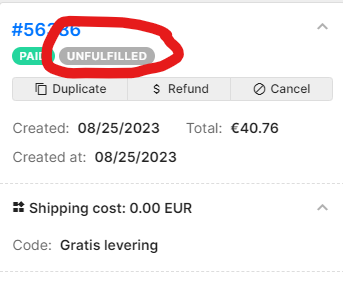
- Shopify: Look for the Yellow Unfulfilled tag in the order overview.
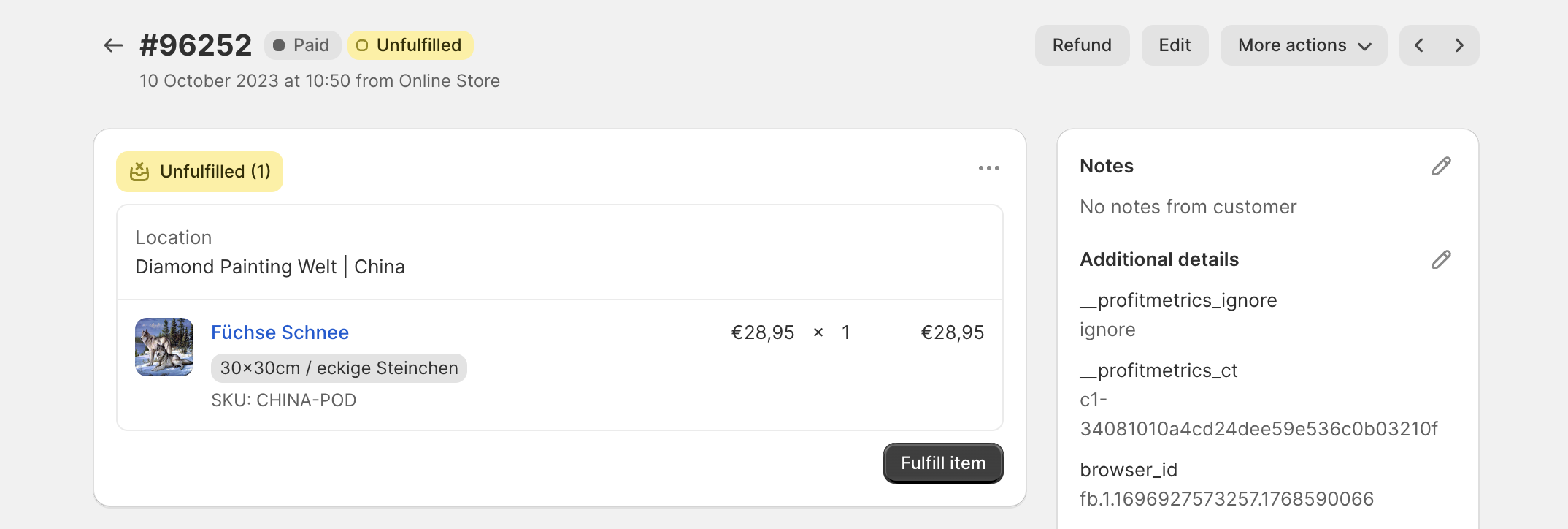
- Gorgias: Look for the “Unfulfilled” status in the order details.
- Confirm that the order is marked as Unfulfilled in either:
Cancel the Order
- In Gorgias:
- Click the Cancel button and complete the cancellation.
- Click the Cancel button and complete the cancellation.
- In Shopify:
- Navigate to More Actions → Cancel Order, and confirm the action.
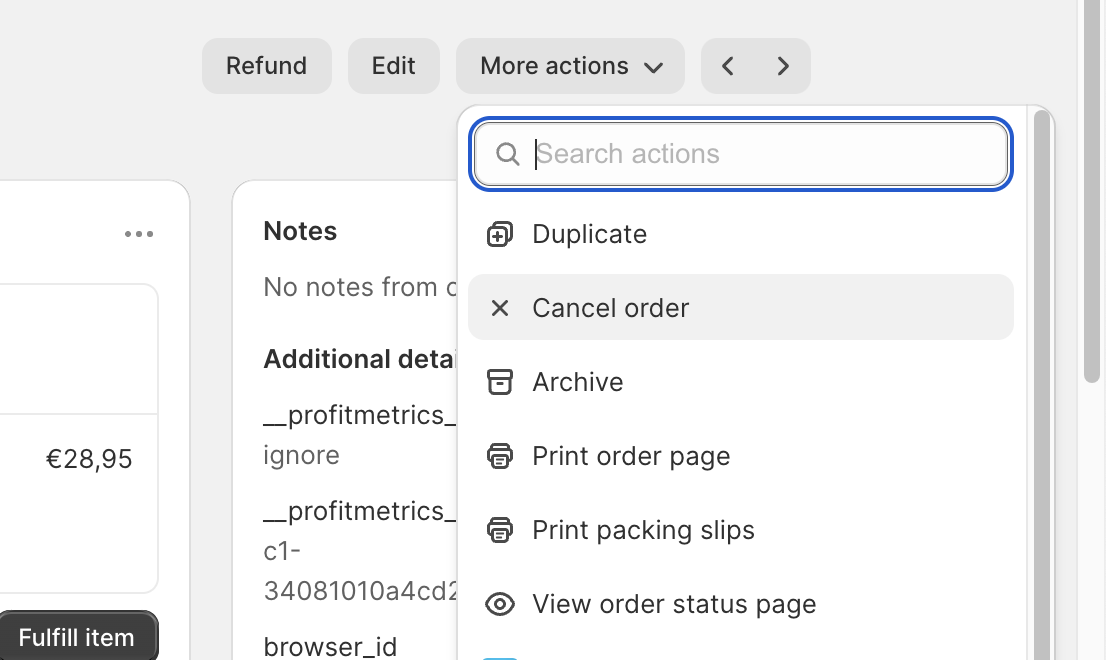
- Navigate to More Actions → Cancel Order, and confirm the action.
- In Gorgias:
Document the Cancellation
- Create an internal note to document the cancellation.
- Tag @Katja in the note to notify her of the canceled order.
- Inform the customer about the cancellation
Mail template to use => Cancellation done
Scenario 2: Cancellation not possible
Verify Fulfillment Status
- Confirm that the order is marked as Fulfilled in Shopify or Gorgias.
Inform the Customer
Notify the customer that the order has already been shipped or prepared for shipping.
Mail template to use => Cancellation not possible
UPDATE 06-12
Scenario 3: Handling SEPA Payment Cancellations
What are SEPA Payments?
- SEPA (Single Euro Payments Area) payments are manual bank transfers.
- Customers receive a payment link along with payment details (IBAN, reference number, and amount).
- Orders placed with SEPA payments are not shipped until payment is received.
- SEPA payments have an expiration period after which the payment link becomes invalid.
Pending Payment Status

- If the order shows as Pending Payment:
- Tag Katja to cancel the payment in Mollie.
- If the order shows as Pending Payment:
Expired Payment
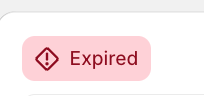
- If the payment link has expired:
- Proceed to cancel the order directly in Shopify following.
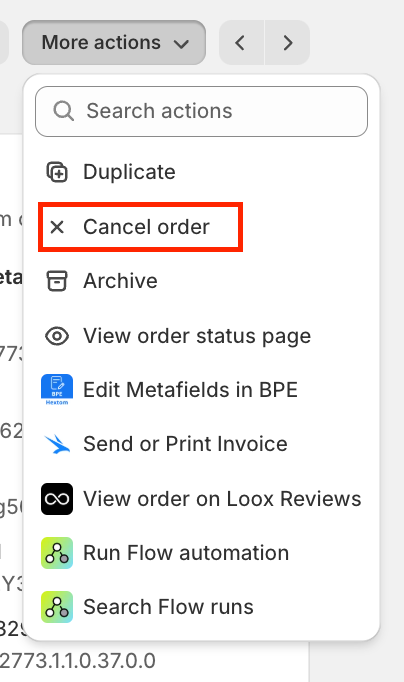
- Proceed to cancel the order directly in Shopify following.
- If the payment link has expired:
Paid SEPA Orders
- If the order is already paid but remains unfulfilled:
- Tag your customer service manager to review and handle the order cancellation.
- If the order is already paid but remains unfulfilled: