
Request regular invoice / VAT invoiceUpdated 2 months ago
Scenario 1: Customer Requests a VAT Invoice or regular invoice
Step 1: Send a Regular Invoice
Locate the order in Shopify.
- Navigate to the order page.
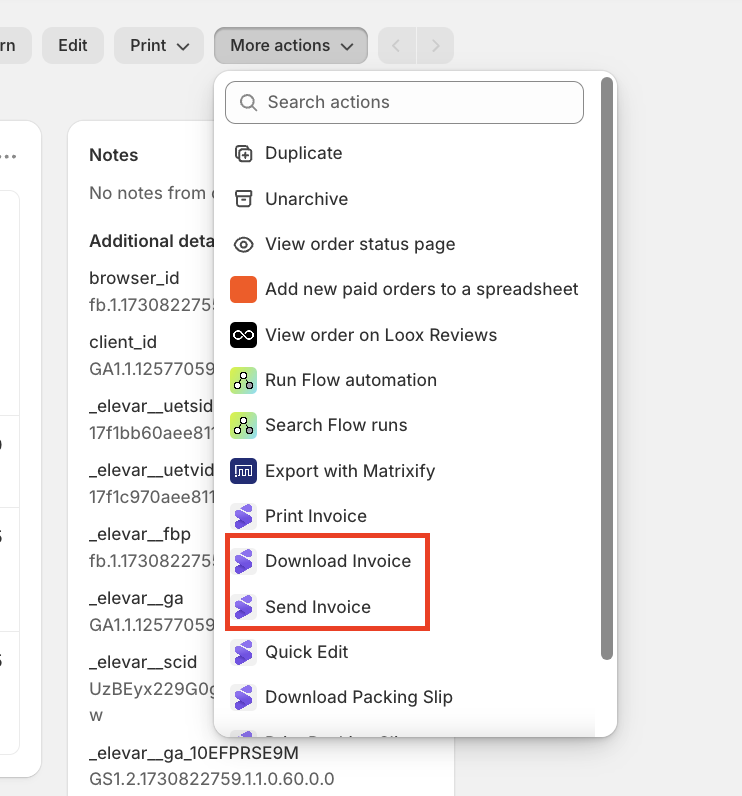
- Click in the top-right corner More Actions dropdown.
- Select Send invoice this will email the customer with the invoice
- IF the customer did not receive the invoice you can select Download Invoice and send it over via mail.
Send the regular invoice to the customer.
For some shops you can select the following:

Scenario 2: Customer Insists on a VAT Invoice After Receiving the Regular Invoice