Spam & Phishing MailsUpdated a month ago
Overview
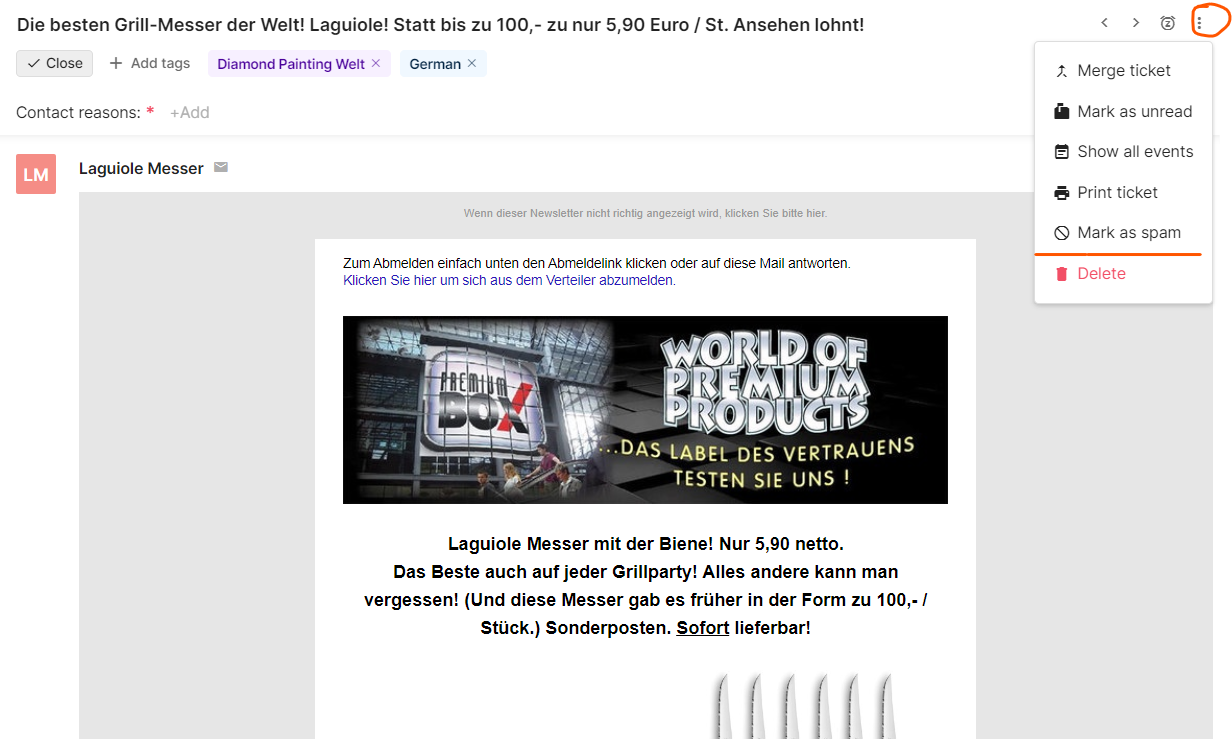
📩 Spam vs. 🎣 Scam: How to Tell the Difference
While both are annoying, their goals—and the risks they pose—are very different.
| Spam (Junk) | Scam (Phishing/Fraud) | |
| The Goal | To sell you something. | To steal from you. |
| The Intent | Mass marketing for unwanted services (SEO, cheap leads). | Maliciously grabbing passwords, 2FA codes, or credit cards. |
| Danger Level | Low. Mostly just clutters your workspace. | High. Designed to cause a security breach. |
| The "Hook" | "Check out our new marketing tools!" | "Your account is flagged for deletion" or "New Media Asset attached." |
| The Payload | A link to a legitimate (but annoying) website. | A fake login page or a malware-infected file. |
How to Spot a Fake Meta Notification
Use the following table to compare a legitimate notification versus a scam attempt:
| Legitimate Meta Communication | Phishing/Scam Attempt | |
| Sender Name | Meta Business Support, Facebook Business, or Meta for Business. | Random names (e.g., "barbaraczepiec") or "Support-Meta-User." |
| Notification Path | Appears in your official Business Manager notification bell. | Sent via a direct message, chat, or personal email tag. |
| Language/Tone | Professional, informative, and neutral. | Urgent, threatening, or overly "salesy" (e.g., "Must act in 24 hours!"). |
| Links & Files | Links lead to facebook.com/... or business.facebook.com/... | Links lead to external sites or ask you to download a PDF/ZIP file. |
| Request | Asks you to review settings inside the platform. | Asks for your password or 2FA code via a third-party link. |
Other things to consider:
Scammers often promise a "Blue V-shaped badge" or "Increased Reach" to get your attention. While Meta does offer verification, they will never reach out via a personal chat to "grant" it to you.
Legitimate security concerns or verification processes rarely have a 24-hour "self-destruct" timer. If a message makes you feel panicked, it is likely a scam.
Scammers attach files labeled as "New Media Files" or "Asset IDs." Never download these. They often contain malware or "keyloggers" that record everything you type—including your passwords.
What to do if you receive a suspicious message
Stop: Do not click any links or download any files.
Report: Use the "Report Spam" or "Report Phishing" button within the platform where you received the message
Security Tip: Enable Two-Factor Authentication (2FA) on all business accounts. Even if a scammer gets your password, 2FA provides a critical second layer of defense.