
Example requestUpdated 2 months ago
How to Handle Customer Requests for a Picture as a Painting
When a customer wants to know if a picture of them would look nice as a painting, follow these steps to ensure the process is smooth and professional:
1. Request the Picture
Ask the customer to provide the picture they want to use for the painting. Once received, attach the image to the ticket for internal use. Template: Example picture - request forwarded
2. Send the Request to the Supplier
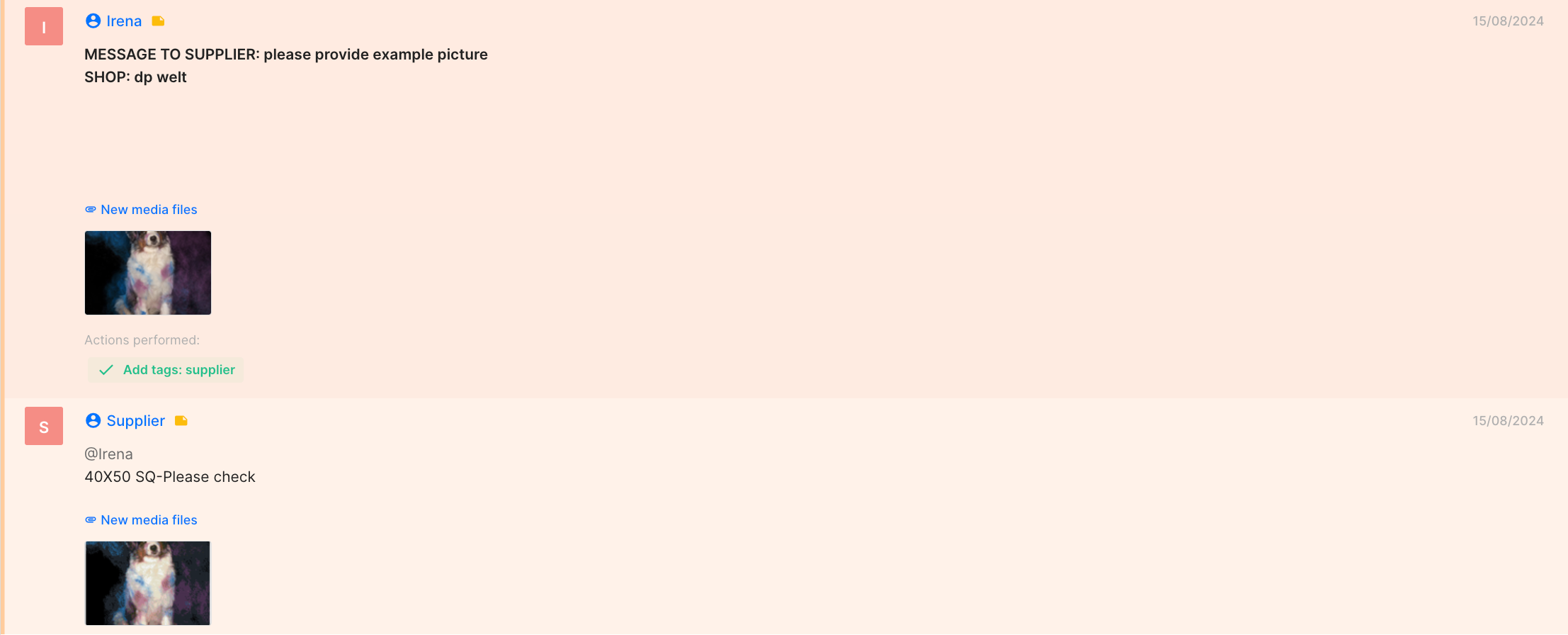
Use an internal note to send the image to the supplier, requesting an example of the picture in the most suitable size. Always attach the picture when making this request to avoid delays.
3. Double-Check Availability
Confirm that the size the supplier offers for the painting is available on the website you are working on. This ensures the customer can order the product without any issues. you can find sizing per shop Here
4.Share the Example with the Customer
Once you receive the example from the supplier, send it to the customer. Be sure to include a sales link in your message for their convenience.Template: Example picture ready
The customer should use the example picture to make sure the painting is the same as the supplier showed us.
Note: You can find all information about creating sales links here.
By following these steps, you can provide the customer with a clear preview of their painting and make the ordering process seamless.